

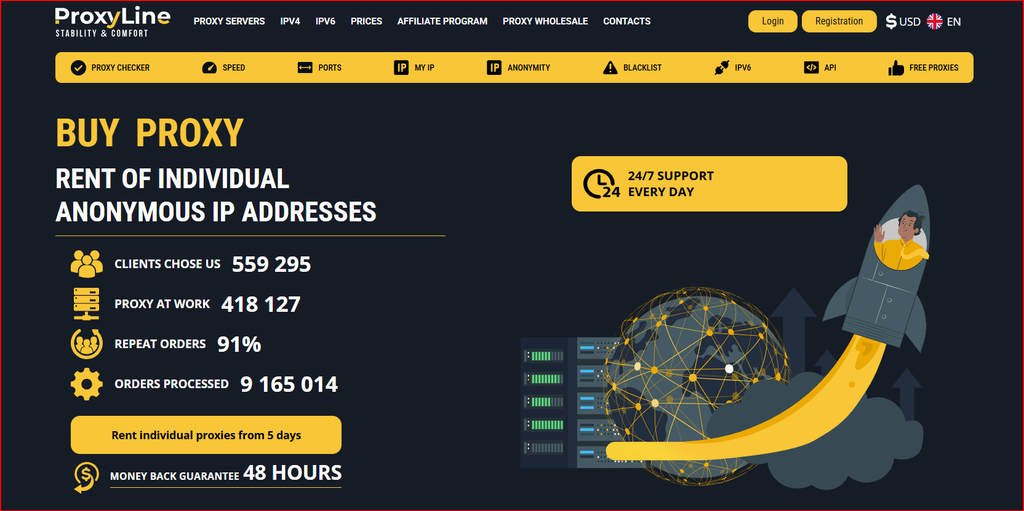
This review examines ProxyLine as it is presented in September 2026, with special attention to pricing, core infrastructure, practical features, setup, and the types of users most likely to benefit. Rather than judging the service on marketing claims alone, the article explains what each plan or proxy/server type actually means in day-to-day use and highlights the trade-offs that should be tested before a larger purchase.
What ProxyLine Is
ProxyLine is a proxy rental service focused on static IPv4 and IPv6 addresses for users who want more control than a generic rotating pool provides. The service positions itself around private and shared datacenter proxies, country and city selection, long rental periods, and the ability to use both HTTP(S) and SOCKS5 formats. In practical terms, that makes it relevant to SEO teams, data researchers, QA engineers, marketers, developers, and ordinary users who need a stable IP endpoint for an extended task rather than a constantly changing residential identity.
The main attraction is predictability. A static proxy can stay attached to the same browser profile, script, application, or monitoring job for days or months. That simplifies authentication, allowlisting, session persistence, and troubleshooting. ProxyLine also advertises manual selection of cities, IP addresses, and subnets, broad geographic coverage, an API, auto-renewal, round-the-clock support, and a replacement/refund window. Those features make it more operationally friendly than free public proxies, which often have unstable uptime and unknown usage history.
Proxy Types and Protocol Support
ProxyLine’s core catalog includes individual IPv4, shared IPv4, and IPv6 proxies. Individual IPv4 is the most universal choice because nearly every mainstream website and application understands IPv4. A dedicated IPv4 address is assigned to one customer for the rental period, which reduces cross-user interference and is usually the easiest option when a workflow depends on a consistent IP reputation.
Shared IPv4 is cheaper. It can be useful for ordinary browsing, basic geo checks, lower-risk scraping, or projects where the IP does not need to belong to one customer only. The trade-off is that the behavior of other customers can affect reputation. IPv6 costs less and is attractive for large-scale testing or IPv6-compatible destinations, but it should not be purchased purely because of price: many websites still treat IPv6 differently or do not support it across every feature.
For connectivity, ProxyLine supports HTTP/HTTPS and SOCKS5 on compatible plans. HTTP(S) works well for browsers, crawlers, web automation, and tools that explicitly accept an HTTP proxy. SOCKS5 operates at a more general transport layer and is often easier to integrate with desktop applications, scripts, messaging tools, and software that is not limited to web requests. The service also references MTProto support for Telegram-oriented scenarios.
Pricing Explained
ProxyLine pricing depends on IP type, country, order size, and rental duration. Current market listings for the service show shared IPv4 around the sub-dollar monthly level, individual IPv4 roughly in the $1.22-$1.77 monthly range for common entry quantities, and IPv6 at a lower price. Bulk orders and longer rental terms can reduce the effective monthly price. Because the checkout calculator can change by country and quantity, the table below should be treated as a September 2026 snapshot rather than a permanent rate card.
The important buying decision is not simply the lowest number. Dedicated IPv4 costs more because compatibility and exclusivity are stronger. Shared IPv4 is economical when uniqueness is not essential. IPv6 can be dramatically cheaper for compatible targets. A serious project should test the actual target websites and software before purchasing a large block, especially when choosing IPv6.
| Plan / type | Typical current price | Rental term | Notes |
|---|---|---|---|
| IPv4 Shared | from about $0.58-$0.99 per IP/month | 5-360 days | Lower-cost option; IP can be shared with a small number of users |
| Individual IPv4 | from about $1.22-$1.77 per IP/month | 5-360 days | Dedicated to one customer; best compatibility |
| IPv6 | from about $0.41-$0.51 per IP/month | 5-360 days | Cheaper, but website IPv6 support varies |
| MTProto / specialized | varies by location and term | varies | Designed for compatible Telegram workflows |
Locations, Speed and Network Control
ProxyLine is widely described as offering proxies across a large number of countries, with city-level selection available in many regions. The service also emphasizes access to thousands of networks and subnets. For SEO, ad verification, localization testing, and regional QA, that granularity is valuable because it lets a team choose a network closer to the audience or market being tested.
Published service information states speeds of up to 100 Mbps for many static proxy products and unlimited traffic on standard rentals. Real throughput will still depend on the proxy endpoint, target website, distance, local internet connection, and the number of simultaneous requests. For web scraping, latency and success rate usually matter more than a theoretical peak speed. A stable 50 Mbps endpoint with clean routing can be more useful than a nominally faster proxy with intermittent failures.
Dashboard, API and Automation
ProxyLine is designed to be managed through a personal dashboard. Typical controls include viewing active proxies, connection credentials, expiration dates, renewal options, and order status. The ability to renew the same IP is useful for persistent sessions because changing addresses can trigger extra verification on websites or require reconfiguring allowlists.
The API is especially relevant to agencies and developers. Instead of manually copying credentials, a workflow can retrieve proxy lists, inspect active orders, or integrate proxy inventory into internal tools. Teams should still handle API keys as secrets, limit access, and avoid embedding credentials in public code repositories.
Best Use Cases
SEO and SERP monitoring are natural use cases because search results, advertisements, and localized pages can vary by IP location. Static proxies help teams compare results from different regions while keeping the network variable consistent. Web scraping and price monitoring can also benefit from stable endpoints, provided the operator respects the target site’s terms, rate limits, robots directives where applicable, and relevant laws.
QA teams can use proxies to test country redirects, localized currencies, consent banners, CDN behavior, and IP-based access rules on systems they own or are authorized to test. Social media managers sometimes assign a stable proxy to a browser profile to keep account sessions separated, but the proxy itself does not make platform policy violations safe. It should be used for legitimate account administration within the rules of each service.
How to Set Up ProxyLine
The usual workflow is straightforward: create an account, select the proxy type and country, choose quantity and rental term, complete payment, then copy the assigned host, port, username, and password from the dashboard. In a browser or anti-detect browser, open the profile network settings, select HTTP or SOCKS5, and enter the credentials. In software such as a scraper or monitoring tool, use the same endpoint in the application’s proxy configuration.
Before production use, verify the IP on an independent IP-checking page, confirm the country and protocol, then test the target website at low request volume. If the project uses IP authorization instead of username/password, add only the trusted client IPs that need access. Document which proxy belongs to which project so renewals and replacements do not become confusing.
Pros and Limitations
The strongest points are low entry prices, static IPv4/IPv6 choices, HTTP and SOCKS5 support, long rental options, location and subnet selection, automation features, and 24/7 support. For workloads that need fixed datacenter IPs rather than rotating residential traffic, the service is simple and cost-efficient.
The limitations come from the proxy type itself. Datacenter IPs can be easier for websites to classify than residential or mobile IPs, IPv6 compatibility is inconsistent, and a shared address carries more reputation risk than an individual IP. Buyers should also confirm the exact country, ASN, and current price at checkout because availability changes over time.
Final Assessment
ProxyLine fits projects that value static addresses, affordable pricing, and manual network control. Individual IPv4 is the safest general-purpose starting point; shared IPv4 is attractive for cost-sensitive work; IPv6 is best treated as a compatibility-dependent option rather than an automatic substitute for IPv4. For SEO monitoring, authorized scraping, development tests, regional QA, and long-lived browser profiles, the combination of fixed IPs, multiple protocols, and flexible rental periods makes ProxyLine a practical service to evaluate in 2026.
As with any proxy provider, the most useful benchmark is your own target stack. Start with a small order, test speed, geolocation, stability, and target-site compatibility, then scale only after the proxy behaves consistently.
Quick Buying Checklist
- Confirm the exact current price and location at checkout before paying.
- Start with a small order or the shortest sensible term before scaling.
- Test the target website, application, or workload immediately after activation.
- Measure latency, reliability, and compatibility instead of judging only by advertised speed.
- Store credentials securely and follow the terms of the websites or platforms you access.
Frequently Asked Questions
Does ProxyLine support SOCKS5?
Yes. Compatible proxy orders are commonly issued for HTTP(S) and SOCKS5 use.
Does ProxyLine offer dedicated proxies?
Yes. Individual IPv4 proxies are intended for one customer during the rental period.
Is traffic unlimited?
ProxyLine advertises unlimited traffic on its standard static proxy rentals, but buyers should verify the current plan terms at checkout.
Which is better, IPv4 or IPv6?
IPv4 is the safer choice for universal website compatibility. IPv6 is cheaper but depends on the destination supporting IPv6 correctly.
Can ProxyLine be used for scraping?
It can support authorized scraping and monitoring workflows. Users still need to follow website terms, rate limits, and applicable law.
Official Link
Official website: https://proxyline.net/
