

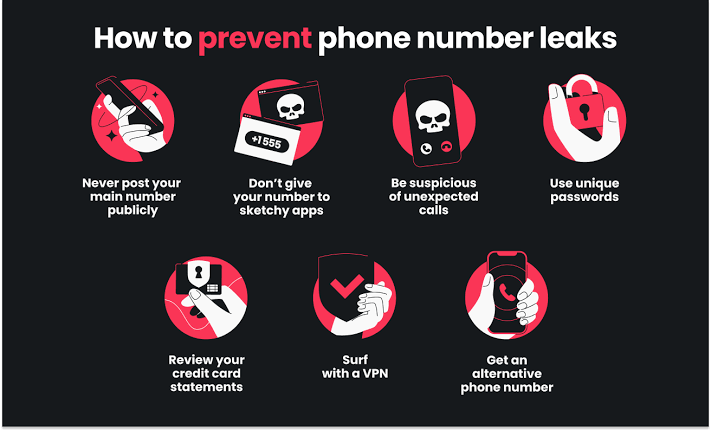
The easiest ways to protect your phone number online are to share it only when you must, use a second number for sign-ups, switch to app-based two-factor authentication, add a PIN to your mobile account to stop SIM swaps and remove your number from people-search sites. These steps take a few minutes and greatly reduce spam calls, scams and account takeovers.
Your phone number has quietly become one of the most valuable pieces of personal information you own. It is linked to your messaging apps, online accounts and often your real name and address. Here are seven easy ways to keep it safe.
1. Share your number only when you must
Many websites and shops ask for a phone number even when they do not need one. Before you type it in, ask yourself whether the service really needs to call or text you. Leave optional fields empty, and choose email instead of SMS for receipts and updates when you can.
2. Use a second number for sign-ups
A second number keeps your real number private. You can use it for online shopping, marketplace listings, dating apps, delivery services and anything else you do not fully trust. Options include:
- A second SIM or eSIM on a cheap prepaid plan
- A virtual number app that forwards calls and texts
- An online SMS service for one-time verification codes
Some privacy-focused providers sell virtual numbers and eSIMs with minimal personal details, and some accept private payment methods such as Monero. If you want to compare them, XMRList’s phone and SMS directory lists services that accept it.
3. Switch to app-based two-factor authentication
Text message codes are better than nothing, but they can be intercepted or redirected. Authenticator apps and hardware security keys are much safer. Go through your most important accounts, such as email, cloud storage, social media and shopping, and switch two-factor authentication from SMS to an app wherever possible.
4. Protect yourself from SIM swap scams
In a SIM swap, a criminal convinces your mobile provider to move your number to their SIM card. They can then receive your calls and codes. To protect yourself:
- Add a PIN or password to your mobile account.
- Ask your provider whether it offers extra protection against number transfers.
- Be suspicious if your phone suddenly loses signal for no reason.
- Never share account details or codes with callers who claim to be from your provider.
5. Remove your number from people-search sites
People-search and data broker websites collect phone numbers, addresses and other details from public records and leaked data. Search for your name and number to see where they appear, then use each site’s opt-out form to remove them. Paid removal services can do this for you if you do not have time.
6. Lock down your messaging apps
Messaging apps often show your number to everyone in shared groups. Check each app’s privacy settings and limit who can see your number, profile photo and online status. Some apps let you use a username instead of sharing your number at all. Turn on registration lock or a PIN for your messaging account so nobody can register it on another phone.
7. Recognise common phone scams
Scammers often contact people by text and phone. Common tricks include fake delivery messages, calls pretending to be from your bank or a government office, and messages that claim you have won a prize. Never click links in unexpected texts, and hang up on callers who pressure you. Contact organisations using the number on their official website instead.
What to do if your number is already exposed
If you are getting lots of spam or think your number has leaked, do not panic. Turn on your phone’s built-in spam filtering, report scam messages to your provider, review the security of your important accounts and switch them to app-based codes. If spam becomes unmanageable, changing your number and using a second number for sign-ups from then on is often the cleanest fix.
Protecting family members
Children and older relatives are often targeted by phone scams. Help them set up spam filtering, add a PIN to their mobile accounts and agree on a simple rule: never share codes or personal details with anyone who calls unexpectedly. Some families also agree on a code word to confirm that urgent calls asking for help are genuine. These small steps take minutes but can prevent stressful and costly mistakes.
A quick phone privacy checklist
- Add a PIN to your mobile account.
- Switch important accounts to an authenticator app.
- Set up a second number for sign-ups.
- Hide your number in messaging app settings.
- Remove your number from people-search sites.
- Turn on spam call and text filtering.
Frequently asked questions
Can someone hack my phone with just my number?
Usually not directly, but your number can be used for scams, SIM swaps and account recovery attacks, which is why protecting it matters.
Are virtual numbers safe for verification codes?
They work well for most services, but some banks and apps block them. Keep your main number for a few essential accounts and use a second number elsewhere.
Is SMS two-factor authentication still worth using?
Yes, it is better than no protection. But switch to an authenticator app or security key for your most important accounts.
How do I know if I have been SIM swapped?
Your phone suddenly shows no signal, you stop receiving calls and texts, or you get alerts about account changes you did not make. Contact your provider immediately.
Should I give my number to online shops?
Only if it is required for delivery. Many couriers only need a number for updates, so a second number works well.
Is it safe to post my number on social media?
It is best to avoid it. Public numbers are quickly collected by spammers and data brokers. Use a contact form or a second number if people need to reach you.
Final thoughts
Your phone number opens the door to many of your accounts, so it deserves the same care as a password. Share it less, use a second number for sign-ups, switch to app-based codes and protect your mobile account with a PIN. These simple habits will keep spam, scams and account takeovers at bay.
