

The easiest ways to get more from your Apple Watch are to customise your watch faces, set up useful notifications only, track your activity and sleep, use it for quick replies and payments, turn on safety features, improve battery life and choose the right bands. A few minutes in the settings can turn your watch from a simple notification screen into a genuinely useful daily tool.
Many people use only a fraction of what their Apple Watch can do. Here are seven easy ways to make it more helpful in 2026.
1. Customise your watch faces
Watch faces are more than decoration. Complications, the small widgets on each face, put the information you need most just a glance away. Create a few faces for different parts of your day:
- A work face with your calendar, timers and weather
- A workout face with activity rings, heart rate and stopwatch
- A simple evening face with fewer distractions
You can switch faces by swiping, or set them to change automatically using Focus modes.
2. Take control of notifications
Too many alerts can make your watch annoying. Open the Watch app on your iPhone and choose which apps can send notifications to your wrist. Keep the important ones, such as messages, calls and calendar alerts, and switch off the rest. Focus modes let you silence work notifications in the evening and personal ones during meetings.
3. Track activity, workouts and sleep
The Apple Watch is one of the best fitness trackers available. Close your activity rings each day, use the Workout app for runs, walks, cycling and swimming, and check trends in the Fitness app on your iPhone. Sleep tracking shows how long and how well you sleep, and the Vitals app can highlight unusual changes in overnight measurements.
4. Use quick replies and Siri
You do not need to take out your phone for every message. Reply with dictation, quick replies, emoji or the on-screen keyboard on larger models. Siri on the watch can set timers, add reminders, start workouts and control smart home devices with a few words. Newer models also support double tap, so you can answer calls or scroll through notifications with a simple finger gesture.
5. Turn on safety features
Some of the Apple Watch’s most valuable features are ones you hope never to need. Check that these are set up:
- Fall Detection: can call emergency services if you fall and do not respond.
- Emergency SOS: hold the side button to call for help quickly.
- Medical ID: shows important details to first responders.
- Crash Detection: available on newer models.
- Check In: lets a friend know when you arrive home safely.
6. Improve battery life
If your watch struggles to last a full day, try these simple changes:
- Turn off the always-on display or reduce screen brightness.
- Limit background app refresh and notifications.
- Use Low Power Mode on busy days.
- Keep software up to date for battery improvements.
- Charge during a regular daily moment, such as your morning shower.
7. Choose the right bands
The right band makes your watch more comfortable and more versatile. Sport bands are great for workouts, braided and fabric loops are comfortable all day, and leather or metal bands suit work and evenings. Bands are easy to swap, so many people keep two or three for different occasions.
Is it time to upgrade?
If your watch is several years old, a newer model may offer a brighter display, faster performance, better battery life and new health features. When comparing models, think about screen size, battery life, whether you need cellular connectivity and which health features matter to you. You can compare current models and finishes in AppleBitcoin’s Apple Watch range to see which one fits your needs.
Use your watch to build better habits
The Apple Watch is especially good at gentle reminders. Stand reminders encourage you to move every hour, the Mindfulness app guides short breathing sessions, and medication reminders help you stay on schedule. You can also set daily step or exercise goals that adjust as you get fitter. Small, regular nudges like these are often more effective than big resolutions, and your watch keeps track of your progress automatically.
Sharing activity with friends or family can add a little friendly competition and keep you motivated, especially during busy weeks.
Hidden features worth trying
- Use your watch to find your iPhone with a quick ping.
- Unlock your Mac automatically when you sit down.
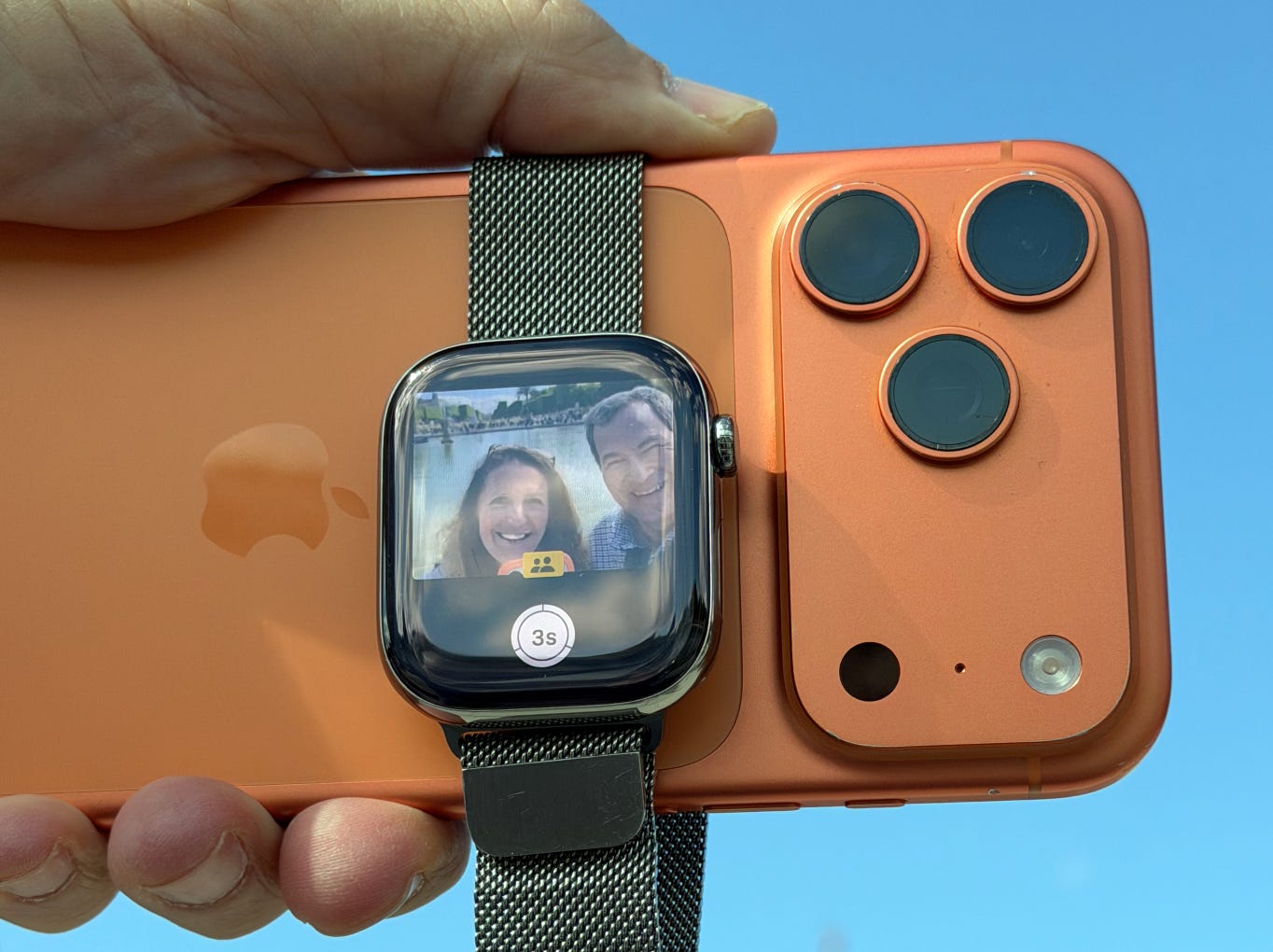
- Use the Camera Remote to take group photos with your iPhone.
- Turn on handwashing reminders and timers.
- Use Walkie-Talkie to chat quickly with friends who also have a watch.
Frequently asked questions
Does the Apple Watch work without an iPhone nearby?
Many features, such as workouts, timers and music stored on the watch, work without your iPhone. Cellular models can also make calls and send messages on their own.
How accurate is Apple Watch sleep tracking?
It gives a good general picture of your sleep patterns, though it is not a medical device. Look at trends over weeks rather than single nights.
Can I swim with an Apple Watch?
Yes, recent models are water resistant and suitable for swimming in pools and the sea. Use Water Lock during swims.
How long does an Apple Watch battery last?
Most models last a full day with normal use, and longer with Low Power Mode. Ultra models last significantly longer.
Which Apple Watch size should I choose?
Try both sizes if you can. Larger screens are easier to read and type on, while smaller ones are lighter and more comfortable on slim wrists.
Can I use my Apple Watch to pay in shops?
Yes. Add your cards to Apple Pay on your iPhone, then double-click the side button on your watch and hold it near the card reader. It is quick and works even when your phone is in your bag.
Should I wear my watch to bed?
Wearing it at night enables sleep tracking and silent alarms. Many people charge it in the morning or evening to keep it ready for the night.
Final thoughts
Your Apple Watch can do much more than show notifications. Customise your faces, trim your alerts, track your health, set up safety features and look after the battery. These small changes make the watch a genuinely useful companion for work, fitness and everyday life.
